See how each student thinks, before class, not after the test.
Orchen turns real student interactions into clear learning profiles, class patterns, and assignment insight teachers can use tomorrow.
See the gaps before the test, not after, the whole class as a distribution.
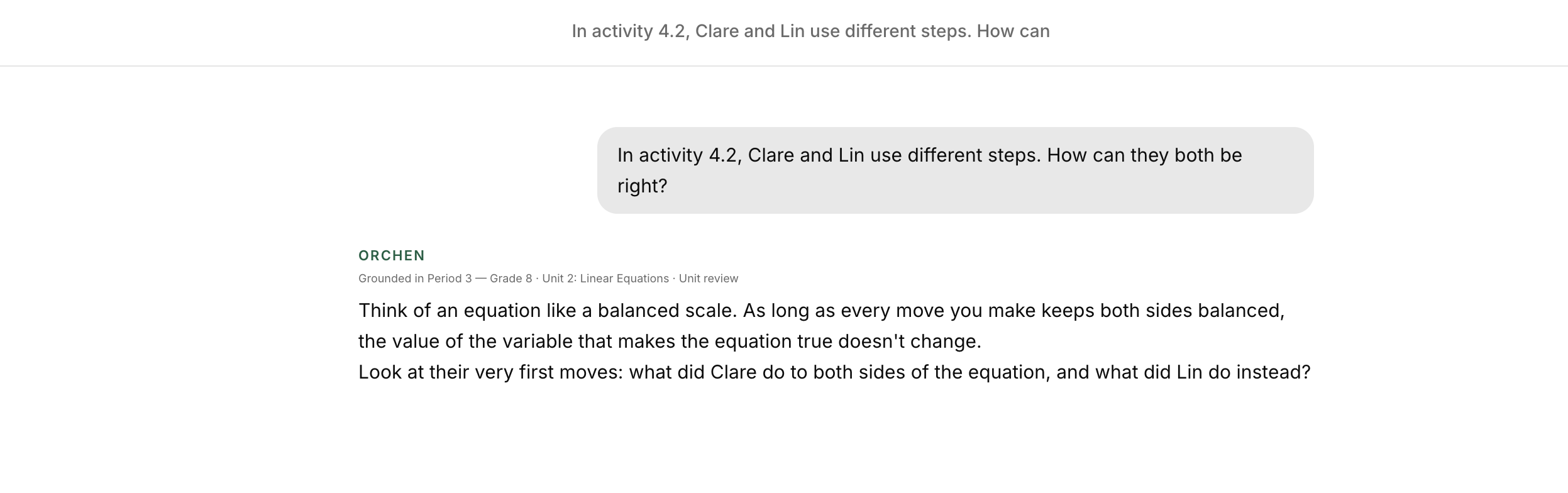
Your lesson carries into the next question.
Add your class readings, worksheets, and lesson materials. Connect them to a lesson or unit, then choose which material is active so students can get guided help in the context of your class.
Add the material you teach from.
Use “Add material” to bring a reading, worksheet, or lesson material into the class knowledge bank. The recording shows a teacher adding a linear-equations reading.
Connect it to the lesson.
Choose a lesson or unit from the material’s selector. In the demo, the teacher connects the reading to the whole Linear Equations unit.
Choose what is active.
Review Active materials and the material’s activation control. The interface includes Auto and Off settings; check which materials are active for the current lesson.
Review “What the tutor knows.”
See the current unit, readings listed in full, items known by title and summary, and a separate answer-key list. This gives you a place to review the class context before students ask for help.
The separate “Answer key · check-only” setting is labeled for checking answers rather than showing the key to students. It is distinct from ordinary class readings.
 Enlarge screenshot ↗
A read on how each student thinks, built from real sessions.
Every student who uses Orchen builds a profile over time. You see the synthesis, not a transcript to scroll.
Best teaching approach. Learning style breakdown. Where they get stuck. Where they're strong. It updates every time they use Orchen, across every subject you teach them.
Best Teaching Approach
Ryoto responds well to verbal exploration and open-ended questions, especially in abstract or philosophical contexts. The student benefits from highly structured guidance, concrete examples, and step-by-step breakdowns, particularly for mathematical concepts and essay writing. Explicit prompting is often necessary to connect curiosity to academic subjects and to bridge abstract ideas to practical understanding.
Learning Style for Math, Science
Struggle Areas
Mathematics: Function notation · Domain of a function · Abstract mathematical definitions
Strength Areas
Mathematics: Evaluating functions with basic algebraic operations
See the gaps before the test, not after.
Orchen tracks which concepts have actually landed for each student, demonstrated repeatedly, demonstrated once, in progress, or not yet touched. You see the class as a distribution.
Plan tomorrow's lesson around the real gaps, not the assumed ones.
Example from a 10th grade class, concepts flagged as “in progress” for 3 or more students.
Assignments students actually engage with.
Create guided chat, writing, or quiz assignments. Orchen runs them with the same Socratic posture, guiding with questions all the way to the answer, even when students ask for it outright.
You see who submitted, how long they were actively working, and how many exchanges it took. Not to surveil, to understand.
2 students enrolled
| ✓ Test Student | Submitted | 14m 31s | 26 exchanges |
| ◌ Ryoto Falcon | In progress | – | – |
Guided Chat · Math · Due Apr 10
Student attempts
They try the problem first, Orchen waits before stepping in.
Orchen asks back
It guides with questions until the student reaches the answer themselves, every time, on every request.
Student revises
They work toward the answer themselves, exchange by exchange.
You see the work
Submission, active time, and exchange count roll up to your view.
The student writes. Orchen frames and checks.
Writing assignments open a full editing workspace, prewriting, drafting, and a draft check with rubric scores and inline comments. You configure the rubric; Orchen does the mechanical pass so you can focus on the thinking.
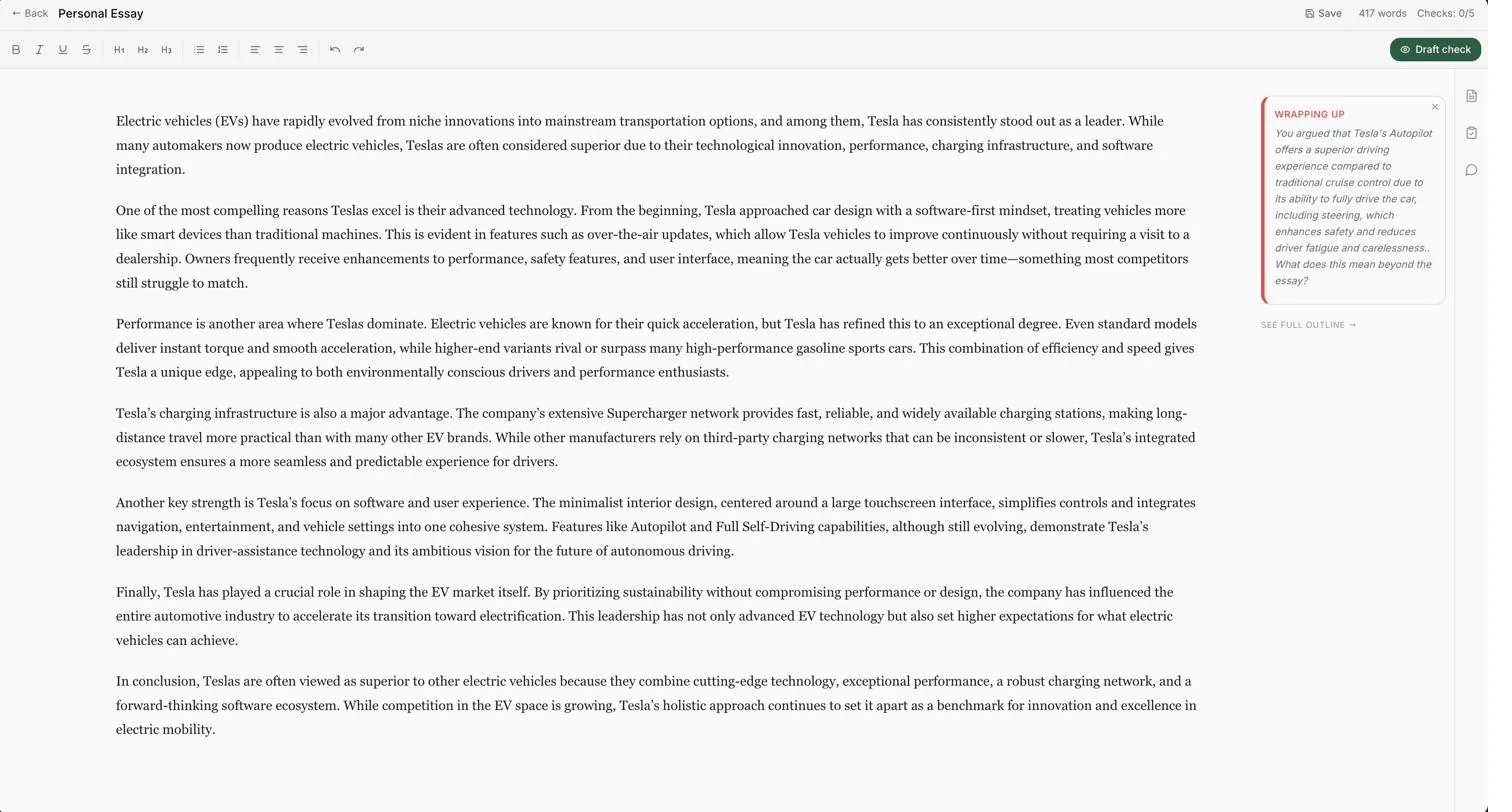
A full editing workspace, prewriting, drafting, and a rubric-scored draft check.
Lesson plans, unit plans, rubrics, drafted in seconds.
The Documents tab gives you AI-generated starting points for standard teaching materials. Standard lesson plan, 5-day unit plan, discussion guide, lab plan, substitute teacher plan, rubric generator, exit ticket, differentiated assignment. You edit; you own the result.
Standard Lesson Plan
~15 sec
5-Day Unit Plan
~20 sec
Rubric Generator
~15 sec
Discussion / Socratic S…
~15 sec